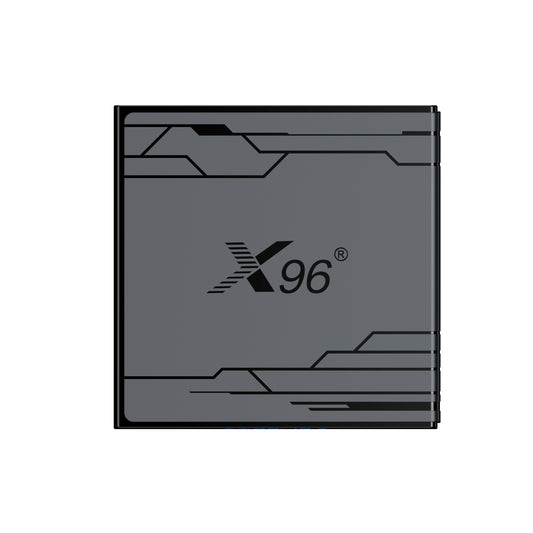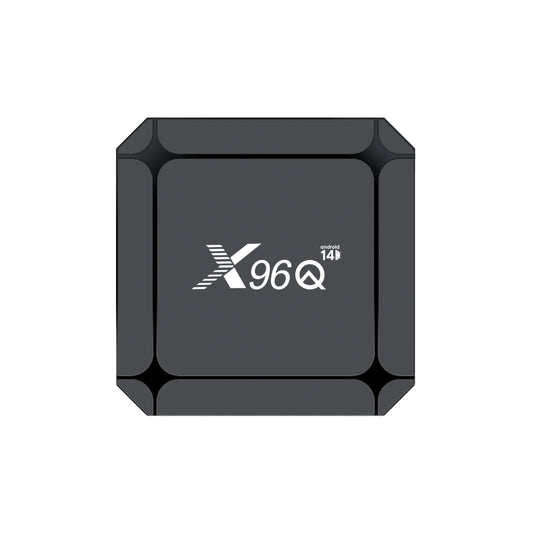

Real vs. Fake X96Q TV Box: How to Check an X96 Device
Two set-top boxes may bear the same "X96Q" logo on their casings yet originate from different manufacturing sources. To determine whether a device is genuine, please cross-reference the following details: labels, MAC addresses, software, motherboards, and purchase records. Relying solely on a single sticker or the startup screen is insufficient for an accurate assessment. Most counterfeits primarily imitate the X96Q H313 version, as they are cheaper to produce and of very poor quality.
This guide outlines the specific items to check and details the information you should provide to Amedia if the device does not match the X96 product you ordered.
Identify the exact X96Q model first
The name "X96Q" is used for various hardware configurations. Models listed by Amedia include the classic X96Q (powered by the Allwinner H313 chip) and the X96Q Android 14 (powered by the RK3518 chip). Additionally, OEM projects may utilize their own specific hardware and firmware versions.
Before proceeding with the checks described below, please record the full model name, processor details, RAM/storage specifications, and order or production batch information. Compare the device in question against a confirmed genuine sample of that specific version. While the classic X96Q uses the H313 chip, the presence of an H616, H618, or RK3518 chip does not necessarily indicate a counterfeit product.
To facilitate an effective comparison, please take photos of the device's underside, the MAC address label, the home screen, the "About Device" page, and both sides of the PCB (printed circuit board). You can then contact us with this information.
1. Inspect the bottom-shell product label
Flip the TV box over to take a full-view photo of the bottom casing, followed by a close-up shot of the label on the bottom. Check the model number, memory/storage configuration, VID, MAC address, or serial number (SN), and compare these details against the outer packaging, invoice, and written specifications.
Label layouts may vary due to casing revisions or OEM packaging requirements; therefore, differences in label appearance alone are not conclusive evidence of authenticity. Additionally, labels marked "Made in PRC" are highly likely to be counterfeits and did not originate from our factory.
As one historical example, the label artwork submitted for an FCC-certified X96Q shows “Smart TV BOX,” “Model: X96Q” and “FCC ID: 2AI6D-X96Q.”
2. Check the MAC address and Amedia prefix
For Amedia-manufactured devices using our designated MAC address range, the addresses begin with `90:0E:B3`, followed by three sets of hexadecimal characters (i.e., `90:0E:B3:XX:XX:XX`). Relevant lookup lists indicate that this prefix is registered to Shenzhen Amediatech Technology Co., Ltd.(Due to translation issues, the initial company name differs from the one currently in use; the actual name is Shenzhen Amedia Technology Co., Ltd.)
3. Compare the MAC sticker's position
Please check the position and orientation of the sticker relative to the product label, housing seams, and ports. Compare it against an approved sample of the same model and housing version. For products within the same controlled production batch, the label layout must comply with established approval specifications.
4. Compare installed software and app icons
Power on the device and take photos of the home screen and the full app list. Compare the launcher layout, pre-installed apps, system update apps and their icons against a neutral mockup.
5. Record the complete system info: Build number + Android kernel version
Go to "Settings" > "About Phone" and take a screenshot showing the Android version, device model, build number, and—if available—the kernel version and security patch level. Please confirm with the supplier the approved firmware build version for that specific board revision and production batch.
The Android kernel version information reveals the server (hostname) and the user account used to compile the kernel. We recommend contacting us to verify this information after navigating to "Settings" > "About Phone" > "System" > "Kernel Version" on your Android device.
6. Read the motherboard model and revision
For a detailed inspection, locate the PCB model and version numbers printed on the motherboard and compare them against an approved engineering sample or documentation provided by Amedia. Additionally, verify the circuit layout: the placement of connectors, the Wi-Fi module, and key components should match the specifications for that specific motherboard version.
The model number displayed in the Android settings is merely the device name recognized by the software; it does not correspond to the actual markings on the PCB. For our engineers, clear photographs of both the front and back of the PCB are more useful than long-range shots of the assembled unit. When taking close-up photos, ensure that the full codes printed on the PCB are clearly visible.
7. Check the X96 logo on the PCB
If your current PCB bears the X96 logo, please compare its location and appearance with that of the neutral circuit board.
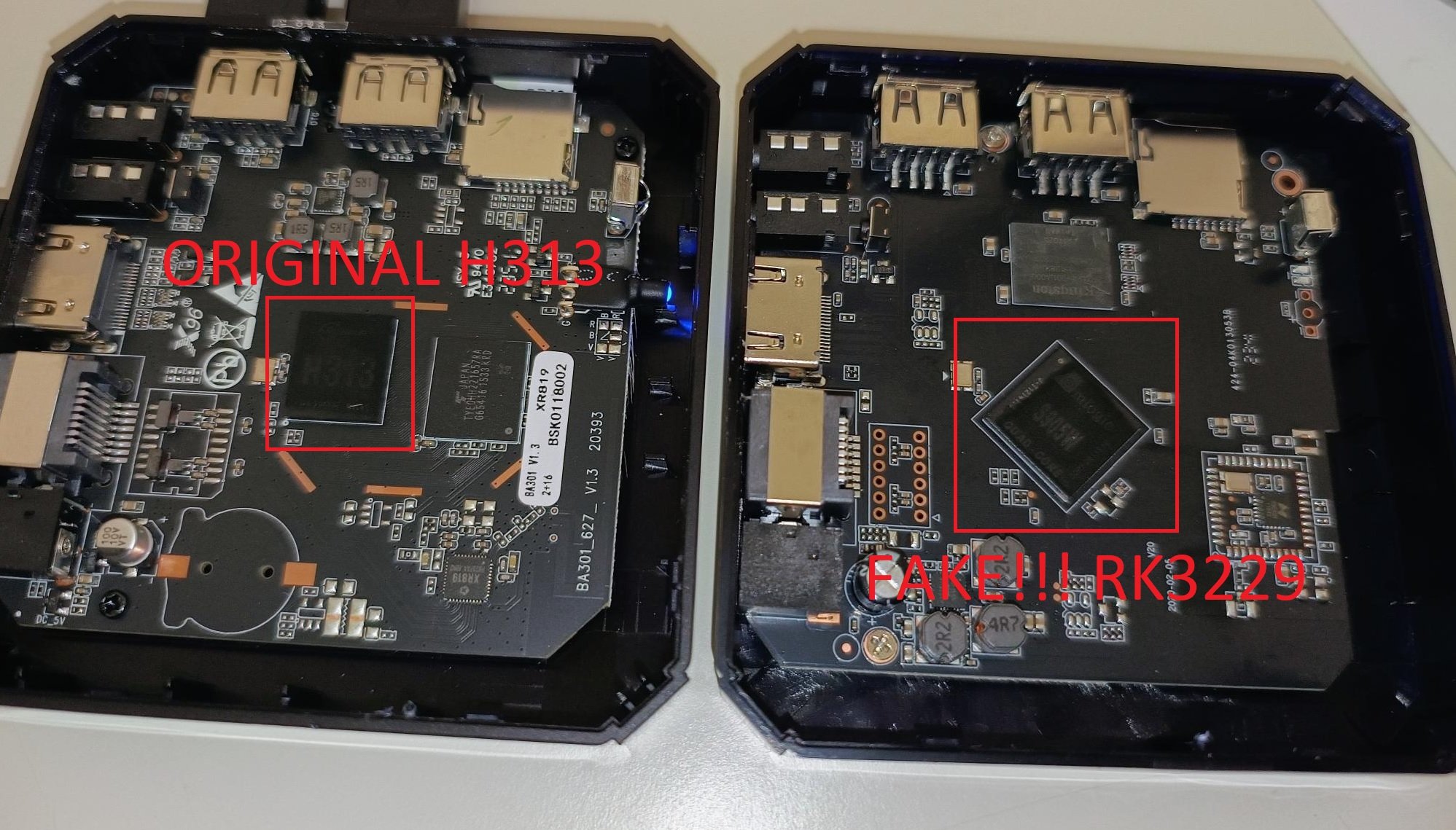
(Link is from https://forum.armbian.com/topic/33256-x96q-h313/)
8. Verify components, memory and ports
Please verify the processor identification, memory (RAM) and storage components, Wi-Fi module, and physical ports against the written specifications for the specific SKU (Stock Keeping Unit) you purchased. Taking the classic H313 X96Q as an example, Amedia offers two configuration options—1GB+8GB and 2GB+16GB—and units exceeding these standard configurations are almost certainly counterfeits; however, these parameters do not cover every product in the X96Q series.
While hardware information apps can alert you to configuration discrepancies, the values reported by the software may be incomplete or tampered with. Additionally, because the Android operating system occupies a certain amount of space, the actual usable storage capacity will be less than the advertised total capacity.
9. Check the firmware and support path
Amedia maintains separate support pages—featuring different firmware versions—for the X96Q H313 and X96Q Pro H313 models. Before requesting files, be sure to provide the support team with the device label, the full build number, and the PCB version information. A similar ROM name alone is not sufficient to verify the device's authenticity.
Do not attempt to verify authenticity by flashing firmware; using the wrong firmware image can render a perfectly functional device unusable. If the vendor cannot identify the motherboard version or specify the after-sales support channels for the device, make a note of this issue for future follow-up.
Example: an order for the classic H313 X96Q
Suppose your purchase order specifies the classic H313 X96Q model (equipped with 2GB RAM and 16GB storage) along with a specific approved firmware version. A reference sample establishes the product's baseline characteristics, including the bottom label, MAC address sticker placement, pre-installed applications, full build number, and PCB version. Upon receipt, the product should be verified against these records item by item. If the casing is marked "X96Q" but the internal circuit board and processor do not match, the MAC address sticker placement differs, and the firmware version is unrelated to the approved version, the device should be set aside and evidence submitted for review. However, if only changes to application icons are observed or a newer approved OTA build version is present, further clarification is required rather than immediately classifying the item as a counterfeit.
What to send Amedia for review
To help our team identify devices that are suspected of being problematic or of unknown origin, please provide the following:
- Photos showing the full view of the device's bottom casing and a close-up of the product label
- Photos showing the complete content and exact location of the MAC address label
- Photos of the home screen, app list, and the "Settings" > "About Phone" screen
- Photos of the PCB showing the circuit board model number, version number, and X96 logo
Please send the complete MAC address and proof of purchase directly to the support team. Contact Amedia via the official X96 website.
Reliable conclusions rely on the consistency of the evidence: the purchase channel, product label, MAC information, firmware, PCB (Printed Circuit Board), and components must all correspond to the specific X96 "neutral" version ordered. Any single discrepancy warrants verification; if multiple conflicting factors are found, please contact Amedia before proceeding with mass deployment.